G502 Lightspeed
Application requires update service to launch
Configure the mouse and store settings on the hardware. Delete software.
Initial Setup
- Skip all login and data collection during initial launch.
Configuration
- General:
- launch app at login: ✘
- game lighting control: ✘
- system notifications: ✘
- recommendations: ✘
- Updates: ✘
- Beta features: ✘
- Analytics: ✘
⌘+r ➔ services.msc
- LGHUB Updater Service:
- Startup type: Disabled
- Service status: Stop
- Logitech LampArray Service:
- Startup type: Disabled
- Service status: Stop
Lamp array service enables MS dynamic RGB lighting control for logitech devices.
Configuration
Onboard profiles cannot be exported. Just create new profiles and store on device. Remove software entirely when mouse is setup.
Devices > g502
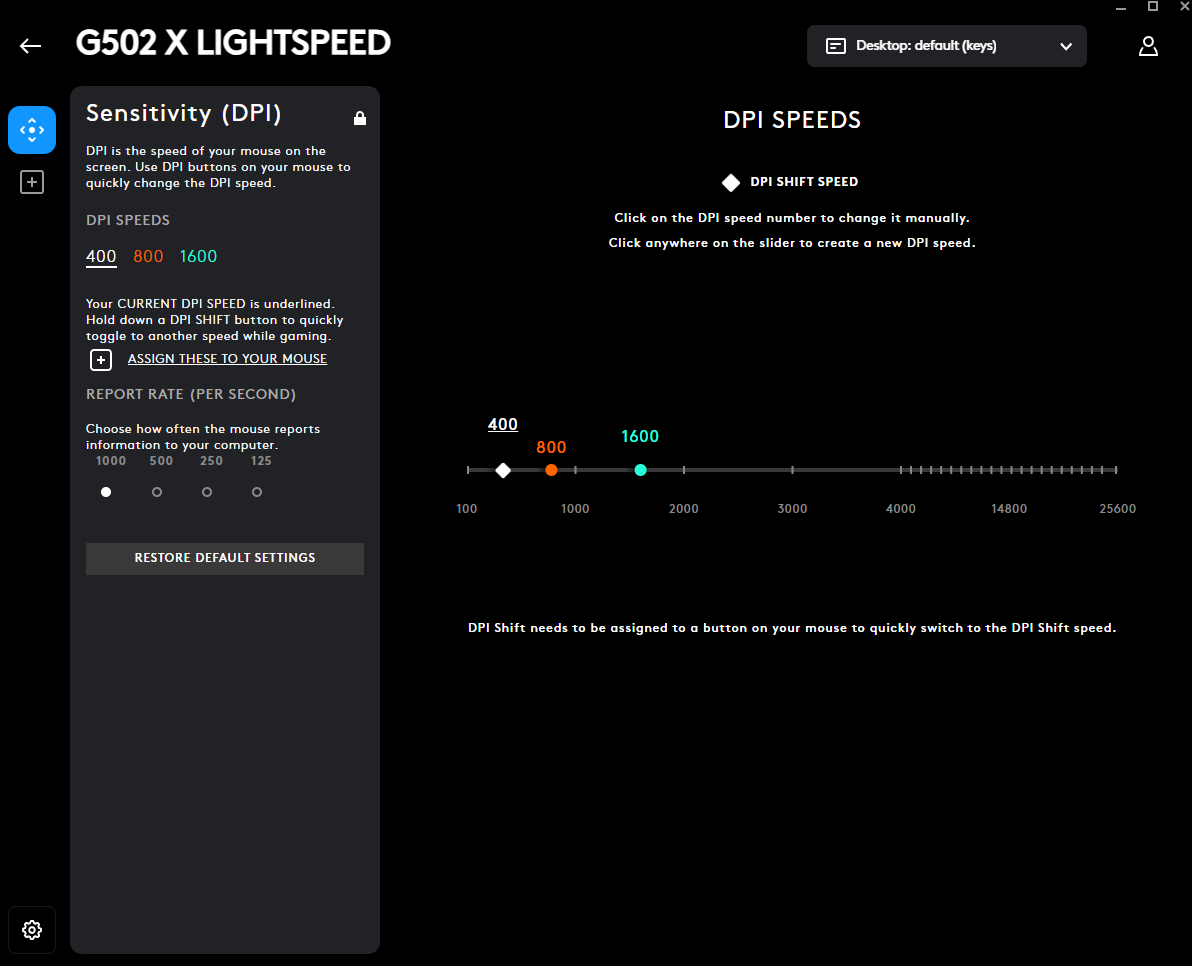
- Sensitivity DPI:
- 400 (default), 800, 1600
- Remove others by sliding off
- 1000hz polling.
Devices > g502 > Assignments > View 1
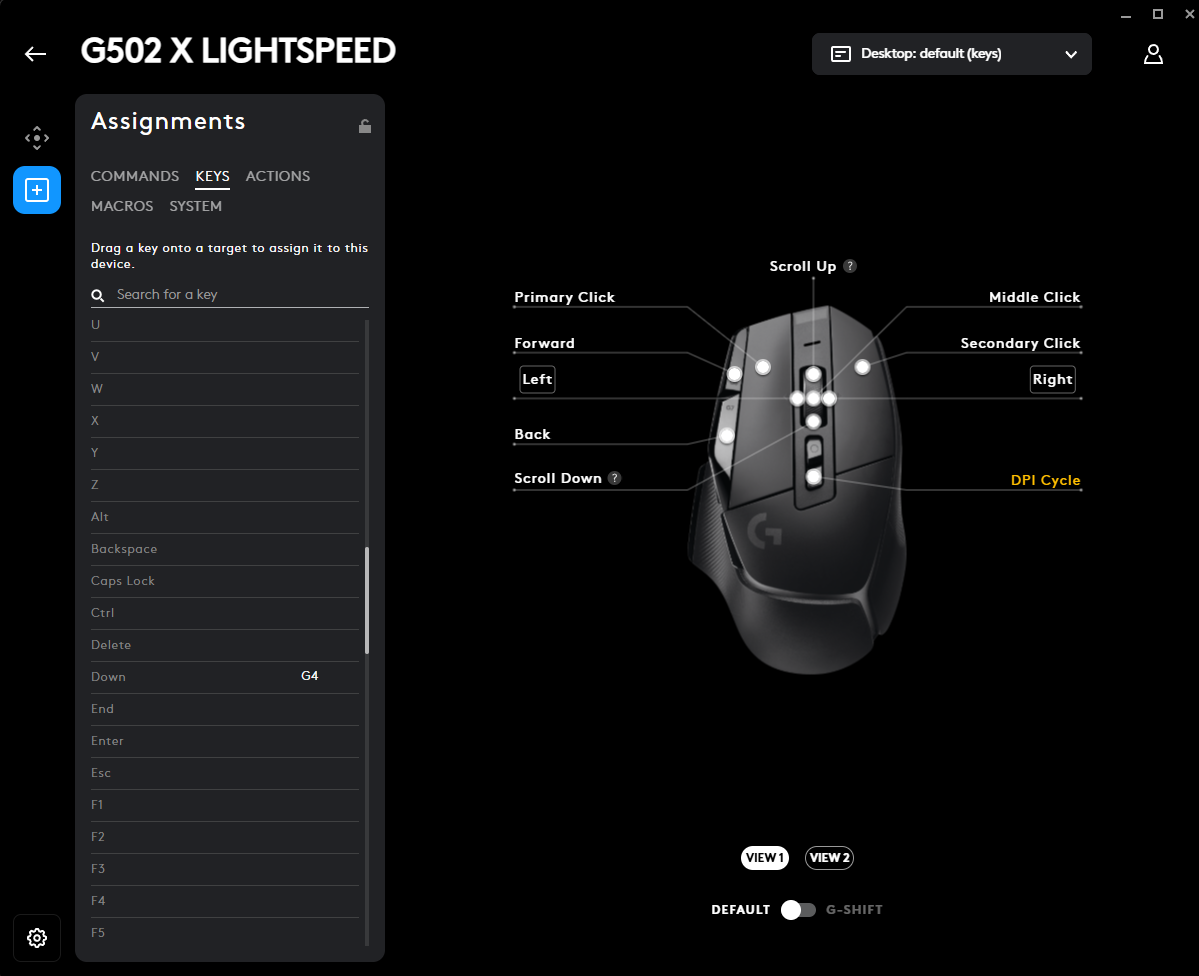
- wheel left - left arrow
- wheel right - right arrow
- top left - forward - mouse 4 (windows)
- bottom left - back - mouse 3 (windows)
Devices > g502 > Assignments > View 2
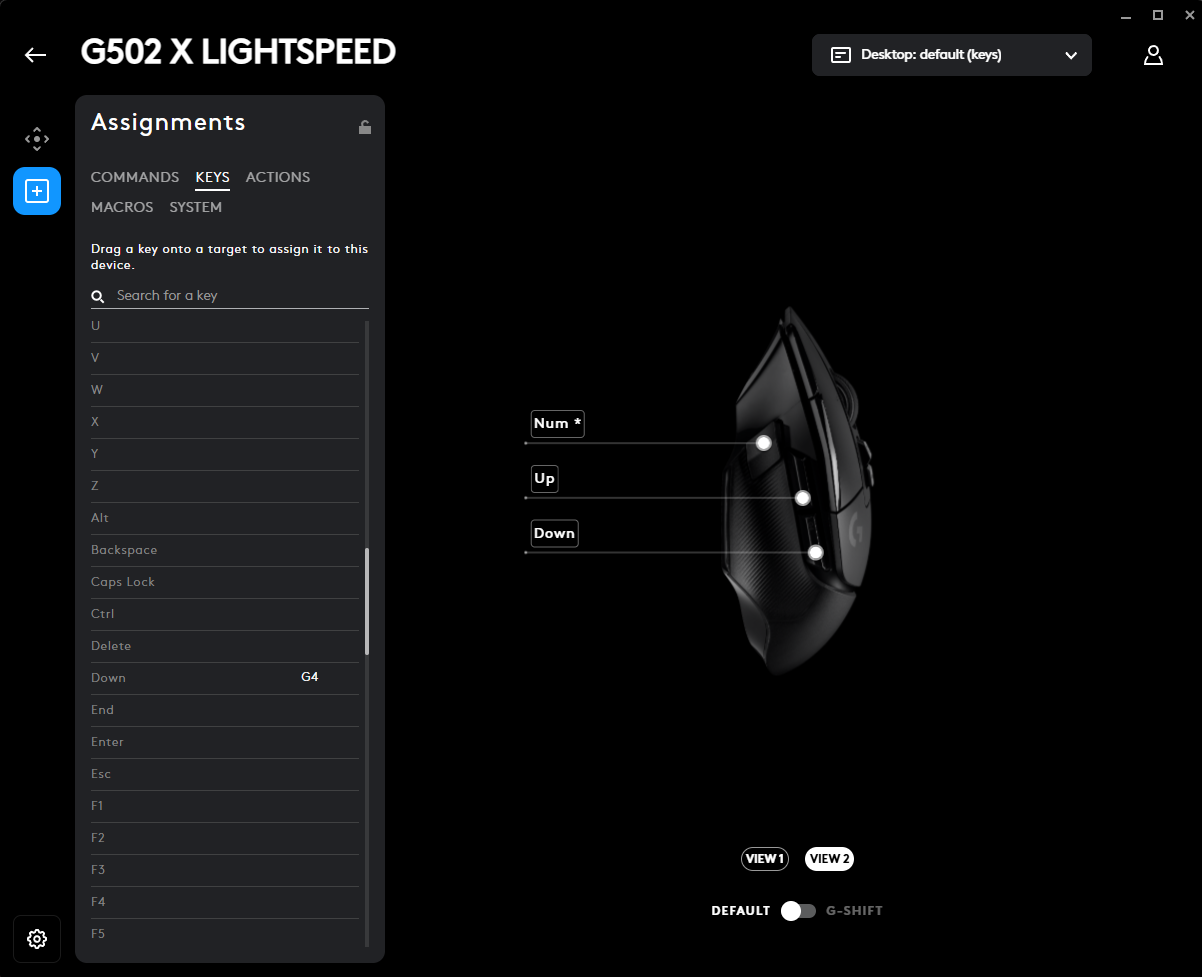
- side top - up arrow
- side bottom - down arrow
- side thumb - num *